What Google Ads & AdWords covers today (SKAGs → intent groups, RSAs)
Google Ads & AdWords used to reward tight SKAGs and loads of exact match. Now Google Ads & AdWords leans on smart bidding, broad match, and responsive search ads (RSAs) to match intent instead of one keyword to one ad.
You still need control. You just get it in new places. Google Ads & AdWords now expects you to guide the system with:
- Clear account structure
- Strong signals from conversions
- Smart use of broad and phrase
- Tight negative lists
- Useful RSAs and assets
Titonian Wallace Sr. often says that Google Ads & AdWords wins come from “clean intent plus clean data.” When your structure, tracking, and goals line up, the algorithm can actually help instead of burn budget.
Before we jump into the details, keep this goal in mind: Google Ads & AdWords should bring lower CPA and higher ROI, fast. Every tip in this guide points toward that.
Account structure & naming
A clean Google Ads & AdWords account makes every fix easier. Bad structure hides waste and slows results. Good structure shows what to cut and scale in minutes.
Featured snippet: Google Ads account structure
A Google Ads & AdWords account structure is the way you group campaigns, ad groups, keywords, and ads so each set targets one clear business goal, budget, and intent. Strong structure makes reporting easy, improves relevance, and helps bidding hit your target CPA or ROAS.
Campaigns
At the top level, campaigns in Google Ads & AdWords should match goals and budgets, not just product names. A few simple rules:
- One main goal per campaign (leads, sales, calls).
- One region or clear geo per campaign.
- Shared themes in each campaign (service line, funnel stage, or brand vs non-brand).
Example campaign setup for a lead-gen brand:
| Campaign name | Goal | Geo | Notes |
|---|---|---|---|
| Lead – Brand – US | Form fills | United States | Branded terms only |
| Lead – Core Service – High Intent | Form fills | United States | Non-brand, bottom-of-funnel |
| Lead – Core Service – Discovery | Form fills | United States | Broad match, upper-funnel tests |
| Remarketing – Warm – 14 Days | Form fills | United States | Site visitors, form abandons |
Use clear, short codes in Google Ads & AdWords campaign names so your team can scan fast:
- Goal (L for lead, S for sales)
- Network (S for Search, P for Performance Max)
- Country (US, CA)
Example: L-S-US | Brand
For extra help on campaign planning, you can cross-link to your broader PPC strategy content like Nesace’s guide on maximizing ROI with Google Ads advertising.
Ad groups
SKAGs (single keyword ad groups) used to be the main way to control queries. With close variants and broad match improvements, SKAGs in Google Ads & AdWords can become busywork.
Shift to intent groups instead:
- One ad group covers a tight intent theme.
- 3–8 close keywords per ad group.
- All ads speak to that same intent.
Example intent group for a plumbing service:
| Ad group name | Main intent | Sample keywords |
|---|---|---|
| Emergency plumbing | Urgent, same-day help | emergency plumber near me, 24 hour plumber, fast plumber |
| Drain cleaning | Planned but pressing issue | drain cleaning service, clear clogged drain |
Match types
Match types in Google Ads & AdWords now behave like a spectrum, not strict walls.
- Exact – best for key brand and your top “money” terms.
- Phrase – good control with some reach.
- Broad – great for volume when paired with smart bidding and strong negatives.
Broad vs phrase in Google Ads & AdWords
For many accounts, phrase match runs first, then broad match layers on once tracking and bidding are solid.
Use this simple table as a rule of thumb:
| Match type | When to use | Risk level |
|---|---|---|
| Exact | Top converters, brand, must-match terms | Low |
| Phrase | Mid-funnel and long-tail themes | Medium |
| Broad | When you have solid data, smart bidding, and negatives | Higher |
Keyword & query mapping
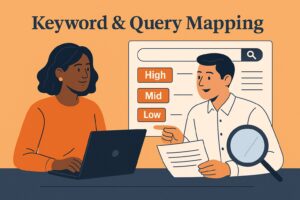
Google Ads & AdWords can only be as good as the queries you feed it and the queries you block. Keyword planning is where most CPA waste starts or ends.
Map keywords in Google Ads & AdWords by intent tier, not just by volume.
Intent tiers
Break your non-brand search into three simple tiers:
- High intent (bottom-of-funnel) – ready to buy or talk.
- Mid intent (research) – comparing options, reading reviews.
- Low intent (awareness) – broad ideas, early research.
Example for a B2B software:
| Intent tier | Example queries | Bid priority | Match type mix |
|---|---|---|---|
| High | buy project management software, demo pm tool | Highest | Exact + phrase |
| Mid | best project management tools, pm software reviews | Medium | Phrase + some broad |
| Low | project management tips, how to manage projects | Lowest | Broad only in test or content-led campaigns |
This style of mapping makes Google Ads & AdWords budget choices easy. You push more into high intent, keep mid intent under watch, and throttle low intent.
Negatives
Strong google ads negative keywords lists save more money than most bid tweaks. Add negatives in three layers:
- Account level – never-relevant terms (careers, free, DIY, jobs).
- Campaign level – filter wrong products, regions, or segments.
- Ad group level – keep similar ad groups from fighting each other.
Set a weekly habit: go into your search terms report in Google Ads & AdWords and tag each query as:
- Keep and add as exact.
- Keep but leave as is.
- Block as a negative.
Over a month, this simple habit can trim 10–30% of wasted spend while keeping volume.
Query mining by intent
For faster wins in Google Ads & AdWords:
- Sort search terms by conversions and cost per conversion.
- Pull the best converting queries into exact match in the right intent group.
- Add negative keywords where poor queries eat more than 1.5x your target CPA.
If you want a broader walk-through of SEM strategy, link to Nesace’s search engine marketing services overview.
Budgets & bidding
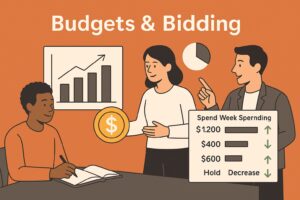
Budgets and bids decide where Google Ads & AdWords spends your money. Structure and keywords guide it. Budgets and bidding enforce your actual business limits.
Budget rules for fast ROI wins
Set budgets by goal and performance, not just guesswork.
- Start higher budgets on brand and proven high-intent groups.
- Keep test campaigns smaller until they hit at least 30–50 conversions.
- Shift 10–20% of budget each week from weak to strong campaigns based on CPA and ROAS.
A simple control sheet outside Google Ads & AdWords can help.
Sample weekly budget shift table:
| Campaign | Spend last 7 days | CPA | Action | New budget |
|---|---|---|---|---|
| Lead – Core Service – High | $1,000 | $45 | Increase 20% | $1,200 |
| Lead – Core Service – Discovery | $400 | $120 | Decrease 25% | $300 |
| Brand – US | $600 | $20 | Hold | $600 |
tCPA / tROAS and smart bidding
Smart bidding in Google Ads & AdWords shines when you set the right goal type and target.
- tCPA (Target CPA) – you want leads or sales at or under a set cost.
- tROAS (Target ROAS) – you want a revenue return, like 400% or 5:1.
tROAS vs tCPA: which should you pick?
- Use tCPA when your value per conversion is flat or very close.
- Use tROAS in Google Ads & AdWords when order values change a lot and you track revenue.
Start with manual or Maximize Conversions until you hit about 30 conversions in 30 days per campaign. Then shift that campaign in Google Ads & AdWords to tCPA or tROAS with a modest target.
Example move to tCPA:
- Current CPA = $60.
- Set initial tCPA = $65 for 1–2 weeks.
- Once stable, step down to $55, then $50.
Experiments
Use Google Ads & AdWords experiments for:
- Bidding tests (Max Conversions vs tCPA).
- Match mix tests (phrase only vs phrase + broad).
- Landing page tests.
Keep tests tight:
- One main change per experiment.
- 50/50 split or 60/40 at most.
- Run until you have enough conversions (usually 100+ total).
Testing inside Google Ads & AdWords keeps your main campaigns safer while you push for lower CPA and better ROI.
Ad testing & assets
Ad copy is still where human insight meets the algorithm. RSAs in Google Ads & AdWords need strong inputs.
RSAs (responsive search ads)
For adwords rsa testing inside Google Ads & AdWords, follow this pattern:
- 8–12 headlines.
- 3–4 descriptions.
- Include your main keyword, main benefit, and main proof.
A simple RSA structure in Google Ads & AdWords:
- H1: Main service + location.
- H2: Big benefit or promise.
- H3: Proof (reviews, years, guarantee).
- Descriptions: Outcome + call to action.
Example RSA framework:
Emergency Plumber in PortlandSame-Day Service, Upfront PricingFive-Star Local Plumbing Team
Descriptions:
Book an emergency plumber in minutes. Get fast help, honest rates, and friendly service today.Stop plumbing stress. Call now for same-day repair and clear upfront pricing.
Pin at least one headline with the keyword in RSAs for Google Ads & AdWords brand and top cold groups.
Extensions and assets
Assets in Google Ads & AdWords add free real estate in the search results. At a minimum, use:
- Sitelinks to key pages (pricing, case studies, contact).
- Callouts that highlight features (24/7 service, local, free quote).
- Structured snippets for services or product lines.
- Call extensions for phone-heavy businesses.
Google’s own Ads help center has a full list of asset types you can plug into Google Ads & AdWords.
Hooks that lift CTR
Stronger hooks in Google Ads & AdWords usually fall into a few themes:
- Time: “Same-day”, “24-hour”, “This week only.”
- Risk: “No contract”, “Cancel anytime”, “Money-back guarantee.”
- Proof: “Over 1,000 happy clients”, “4.9-star average rating.”
Use your hooks in both RSAs and landing page headlines so the Google Ads & AdWords click feels consistent.
Measurement
You can’t fix what you can’t see. Tracking and data quality are where many Google Ads & AdWords accounts fall apart, even when the structure looks fine.
Conversions
Set up conversion actions in Google Ads & AdWords that match real business value:
- Form submissions that go to sales.
- Phone calls with real lead intent.
- Purchases with real revenue.
Use Google Tag Manager or native tools so Google Ads & AdWords captures clear events. If you use Google Analytics 4, link it and import key conversions, then check the definitions match.
Make sure you mark primary conversions in Google Ads & AdWords so smart bidding learns from the right events.
Offline imports
Many high-value deals close offline. Google Ads & AdWords can still “learn” from them when you import offline conversions tied to the GCLID or enhanced conversions for leads.
Simple steps:
- Capture the click ID from Google Ads & AdWords on your forms.
- Store it in your CRM with each new lead.
- When a deal closes, export the leads with:
- GCLID
- Conversion value
- Conversion time
- Import back into Google Ads & AdWords on a schedule.
This loop tells Google Ads & AdWords which clicks turn into real money, not just form fills. For deeper analytics set-up ideas, you can send readers to Nesace’s marketing analytics for business growth.
Google’s official guide on offline conversion imports is a handy external reference to link.
Troubleshooting & scale plays
Even with good structure, Google Ads & AdWords accounts run into common problems. Here is a simple troubleshoot list that also gives you clear scale plays.
Common issues and fixes
1. High CPA, low volume
- Check conversion tracking in Google Ads & AdWords first.
- Raise budgets on best campaigns.
- Loosen bids slightly (higher tCPA, lower tROAS).
- Test broader match types with tight negatives.
2. Lots of clicks, few leads
- Review search terms in Google Ads & AdWords and add negatives.
- Check landing page speed and form friction.
- Tighten match types in weak ad groups.
- Refresh RSAs with clearer offer and call to action.
3. Good lead volume, poor sales quality
- Add more intent words in Google Ads & AdWords keywords (service, pricing, near me, hire).
- Use remarketing and Customer Match lists.
- Import offline conversions and use value-based bidding.
Simple “scale path” in Google Ads & AdWords
As results improve, scale in a set order:
- Max the winners – raise budgets for proven campaigns, keep the same targets.
- Clone into new geos – copy your winning Google Ads & AdWords structure into one new city or region at a time.
- Open new intent tiers – once bottom-of-funnel terms are strong, test mid-funnel content or education terms.
- Layer new formats – add Performance Max or Discovery only after Search is steady and tracked.
Here is a small growth “chart” you can show in the post (text-based, but it works as a visual):
Monthly Leads from Google Ads & AdWords
Jan | ████  (40)
Feb | ██████  (60)
Mar | █████████  (90)
Apr | ███████████  (110)
May | █████████████  (130)
Readers can see how steady tweaks in Google Ads & AdWords structure, bidding, and negatives turn into real lead growth over time.
If a business wants help deciding how much to spend, you can reference Nesace’s guide on marketing budget planning.
Best campaign structure for Google Ads & AdWords (PAA)
People often ask, “What is the best campaign structure in Google Ads & AdWords?” There is no single perfect model, but a simple template helps most brands.
Best practice structure:
- Campaigns by goal and region.
- Ad groups by intent themes.
- Keywords grouped by match type and intent tier.
- RSAs matching each intent group.
You can link to a broader SEM overview such as Nesace’s pay-per-click advertising primer.
Broad vs phrase in Google Ads & AdWords (PAA)
“Should I use broad or phrase match?” is a constant Google Ads & AdWords question.
Short answer:
- Start with phrase match for control.
- Add broad match to strong ad groups once tracking and tCPA or tROAS bidding are ready.
- Always pair broad with rich negative lists in Google Ads & AdWords.
Phrase helps you avoid wild queries. Broad helps you find new pockets of demand.
tROAS vs tCPA in Google Ads & AdWords (PAA)
Another big question: “tROAS vs tCPA in Google Ads & AdWords – which is better?”
- Pick tCPA when every lead is worth about the same and you want lower CPA Google Ads & AdWords performance.
- Pick tROAS when order values jump around and you track revenue.
As your data matures, move more of your Google Ads & AdWords budget into value-based bidding with tROAS so you pay more for high-value buyers and less for low-value ones.
Key Takeaways
Key Takeaways for Google Ads & AdWords fast wins
- Structure Google Ads & AdWords by goal, region, and intent.
- Use intent-based ad groups with tight keyword themes.
- Build strong google ads negative keywords lists every week.
- Choose tCPA or tROAS in Google Ads & AdWords based on your data.
- Test RSAs, bids, and match types with small, clean experiments.
Frequently Asked Questions
How should I structure my first Google Ads & AdWords account?
Keep Google Ads & AdWords simple:
- 2–4 campaigns by goal and region.
- 3–8 ad groups per campaign by intent.
- Exact and phrase for your main terms.
- RSAs with clear offers and calls to action.
As you learn, you can add more campaigns and formats.
How big should my Google Ads & AdWords budget be?
Start with a budget that can buy at least 20–30 clicks per ad group per week. Many local brands in Google Ads & AdWords begin with $50–$150 per day, then scale up as CPA and ROI improve.
How do I lower CPA in Google Ads & AdWords?
Common quick wins:
- Pause expensive, low-converting ad groups in Google Ads & AdWords.
- Add negatives to block junk queries.
- Move winning queries into exact match.
- Improve landing page speed and clarity.
Even small tweaks can cut CPA in Google Ads & AdWords in the first month.
How often should I change bids or targets?
Check performance weekly. For Google Ads & AdWords smart bidding, change tCPA or tROAS in small steps (5–15%) and give the system at least a week to adjust unless results crash.
Where can I learn more about PPC basics?
Use Nesace’s own PPC and SEM guides like:
You can also review Google’s free lessons in Skillshop for Google Ads & AdWords training.
Conclusion: Put Google Ads & AdWords to work for real ROI
Google Ads & AdWords does not have to feel random or risky. With the right account structure, smart google ads negative keywords, tuned bidding, and steady testing, you can turn Google Ads & AdWords into a steady pipeline for your business.
If you want expert eyes on your account, Nesace Media offers a free Google Ads & AdWords audit or 30-min strategy review. You’ll walk away with clear fixes, clear numbers, and a simple plan to lower CPA and boost ROI.
👉 Ready to tighten up Google Ads & AdWords and grow faster? Contact Nesace Media here.
Additional Resources
Here are more Nesace posts to link as internal resources: